Node.js Module-Based Architecture vs Traditional MVC: A Complete Comparison
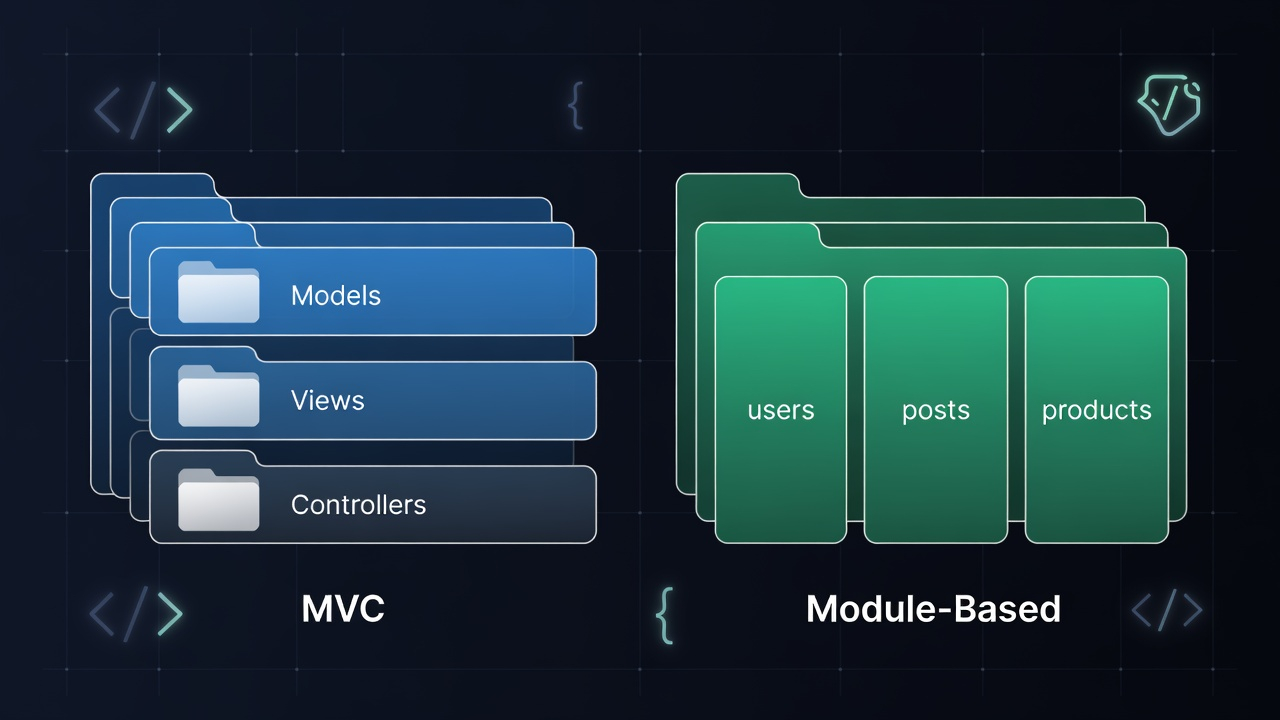
Explore the key differences between Node.js Module-Based Architecture and traditional MVC patterns. Learn when to use each approach, their advantages, and see real code examples to help you make the right architectural decision for your project.
Node.js Module-Based Architecture vs Traditional MVC: A Complete Comparison
Introduction
When building Node.js applications, one of the most critical architectural decisions you'll face is choosing between a Module-Based Architecture and the traditional MVC (Model-View-Controller) pattern. Both approaches have their strengths, and understanding the differences can save you from costly refactoring down the road.
In this guide, we'll break down both architectures with real-world examples, explore their advantages and disadvantages, and help you decide which fits your project best.
What is MVC Architecture?
MVC (Model-View-Controller) is a classic software design pattern that separates an application into three interconnected components:
- Model – Handles data logic, database interactions (e.g., Mongoose models)
- View – Manages the UI layer (templates, JSON responses in APIs)
- Controller – Acts as the middleman, processing requests and calling the model
Typical MVC Folder Structure
src/
├── models/
│   ├── User.js
│   ├── Post.js
│   └── Product.js
├── views/
│   ├── user.ejs
│   └── dashboard.ejs
├── controllers/
│   ├── userController.js
│   ├── postController.js
│   └── productController.js
├── routes/
│   ├── userRoutes.js
│   └── postRoutes.js
└── app.js
MVC Code Example
// models/User.js
const mongoose = require("mongoose");

const userSchema = new mongoose.Schema({
  name: { type: String, required: true },
  email: { type: String, unique: true },
  createdAt: { type: Date, default: Date.now },
});

module.exports = mongoose.model("User", userSchema);

// controllers/userController.js
const User = require("../models/User");

exports.getAllUsers = async (req, res) => {
  try {
    const users = await User.find();
    res.json({ success: true, data: users });
  } catch (error) {
    res.status(500).json({ success: false, message: error.message });
  }
};

exports.createUser = async (req, res) => {
  try {
    const user = new User(req.body);
    await user.save();
    res.status(201).json({ success: true, data: user });
  } catch (error) {
    res.status(400).json({ success: false, message: error.message });
  }
};

// routes/userRoutes.js
const express = require("express");
const router = express.Router();
const userController = require("../controllers/userController");

router.get("/", userController.getAllUsers);
router.post("/", userController.createUser);

module.exports = router;
What is Module-Based Architecture?
Module-Based Architecture (also called Feature-Based or Domain-Driven architecture) groups code by feature/domain rather than by technical layer. Each feature is self-contained with its own routes, controllers, services, and models.
Typical Module-Based Folder Structure
src/
├── modules/
│   ├── users/
│   │   ├── user.model.js
│   │   ├── user.controller.js
│   │   ├── user.service.js
│   │   ├── user.routes.js
│   │   ├── user.validation.js
│   │   └── user.test.js
│   ├── posts/
│   │   ├── post.model.js
│   │   ├── post.controller.js
│   │   ├── post.service.js
│   │   ├── post.routes.js
│   │   └── post.test.js
│   └── products/
│       ├── product.model.js
│       ├── product.controller.js
│       ├── product.service.js
│       └── product.routes.js
├── shared/
│   ├── middleware/
│   ├── utils/
│   └── config/
└── app.js
Module-Based Code Example
// modules/users/user.service.js
const User = require("./user.model");
const bcrypt = require("bcrypt");

class UserService {
  async getAllUsers(filters = {}) {
    return await User.find(filters).select("-password");
  }

  async createUser(userData) {
    const hashedPassword = await bcrypt.hash(userData.password, 10);
    const user = new User({ ...userData, password: hashedPassword });
    return await user.save();
  }

  async findByEmail(email) {
    return await User.findOne({ email });
  }

  async updateUser(id, updates) {
    return await User.findByIdAndUpdate(id, updates, { new: true });
  }
}

module.exports = new UserService();

// modules/users/user.controller.js
const userService = require("./user.service");

class UserController {
  async getAllUsers(req, res) {
    try {
      const users = await userService.getAllUsers(req.query);
      res.json({ success: true, data: users, count: users.length });
    } catch (error) {
      res.status(500).json({ success: false, message: error.message });
    }
  }

  async createUser(req, res) {
    try {
      const user = await userService.createUser(req.body);
      res.status(201).json({ success: true, data: user });
    } catch (error) {
      res.status(400).json({ success: false, message: error.message });
    }
  }
}

module.exports = new UserController();

// modules/users/user.routes.js
const express = require("express");
const router = express.Router();
const userController = require("./user.controller");
const { validateCreateUser } = require("./user.validation");
const authMiddleware = require("../../shared/middleware/auth");

router.get("/", authMiddleware, userController.getAllUsers.bind(userController));
router.post("/", validateCreateUser, userController.createUser.bind(userController));

module.exports = router;

// modules/users/index.js (module entry point)
const router = require("./user.routes");
module.exports = { router };
Key Differences
| Feature | MVC Architecture | Module-Based Architecture |
|---|---|---|
| Code Organization | By technical layer | By feature/domain |
| Scalability | Harder to scale large apps | Highly scalable |
| Team Collaboration | Risk of merge conflicts across layers | Teams own independent modules |
| Code Reusability | Shared models/controllers | Self-contained modules with shared utils |
| Learning Curve | Easy for beginners | Requires architectural planning |
| Microservice Ready | Needs major refactoring | Easily extracted to microservices |
| Testing | Tests scattered across folders | Tests colocated with module code |
| File Navigation | Multiple folders for one feature | One folder per feature |
Advantages of MVC Architecture
1. Simplicity & Familiarity
MVC is the most widely understood pattern. New team members onboard faster because the structure is predictable — models here, controllers there.
2. Great for Small Projects
For simple REST APIs or small applications, MVC provides just enough structure without over-engineering.
3. Clear Separation of Concerns
Each layer has a distinct responsibility, making the codebase clean and understandable.
4. Framework Support
Most Node.js frameworks (Express, AdonisJS) have built-in MVC conventions, reducing setup time.
Advantages of Module-Based Architecture
1. Feature Isolation
Each feature is entirely self-contained. Changes to the users module won't accidentally break the products module.
2. Excellent Scalability
As your application grows from 5 to 50 features, module-based architecture keeps things manageable. You never have a bloated controllers/ folder with 30 files.
3. Team Parallel Development
Different teams can own different modules. The payments team and the notifications team can work in parallel without constant merge conflicts.
4. Easier Path to Microservices
If you ever need to split your monolith, each module is already structured like a mini-service and can be extracted with minimal effort.
5. Colocated Tests
Tests live next to the code they test (user.test.js is in the users/ folder), making the test-to-code relationship explicit.
6. Better Developer Experience
When working on a user-related bug, you open the users/ folder and have everything in one place — no jumping between models/, controllers/, and routes/.
When to Use Which?
Choose MVC when:
- Building a small to medium application (less than 10 core features)
- Your team is junior/intermediate and values simplicity
- You're building a quick MVP or prototype
- Using a framework with strong MVC conventions (like AdonisJS)
Choose Module-Based when:
- Building a large-scale enterprise application
- Multiple teams working on the same codebase
- Planning for microservices in the future
- Long-term maintainability is a priority
- You need strong feature isolation and independent deployments
Real-World Example: Refactoring MVC to Module-Based
Many mature Node.js projects start as MVC and gradually migrate. Here's a migration approach:
// Step 1: Start with MVC
controllers/userController.js
models/User.js
routes/userRoutes.js

// Step 2: Create module folder
modules/users/

// Step 3: Move and refactor files
modules/users/user.model.js      // moved from models/User.js
modules/users/user.controller.js // moved from controllers/userController.js
modules/users/user.routes.js     // moved from routes/userRoutes.js
modules/users/user.service.js    // NEW: extract business logic from controller

// Step 4: Create barrel export
modules/users/index.js
This gradual migration means zero downtime and a clear upgrade path.
Conclusion
Both MVC and Module-Based architectures serve their purpose. MVC shines in simplicity and quick development for smaller projects, while Module-Based architecture excels in scalability, team collaboration, and long-term maintainability.
For modern Node.js applications expected to grow, Module-Based Architecture is the recommended approach. Starting with this pattern from day one saves enormous refactoring effort as your codebase scales.
The best architecture is the one your team can maintain consistently. Whichever you choose, document your conventions and stick to them.
Have questions or want to discuss your architecture choices? Drop a comment below!
Tagged